AI hairstyle try-on
New hair. Zero commitment.
Upload a selfie. Try cuts and colors in seconds. Keep the looks you love.
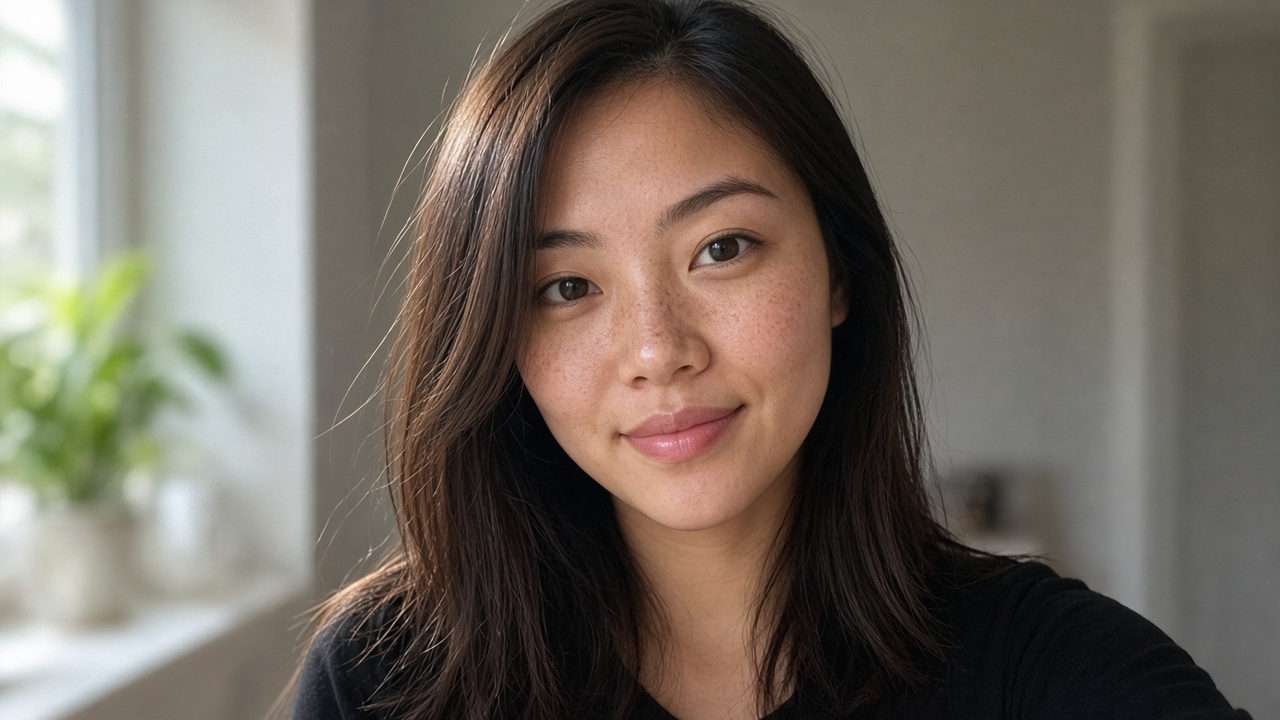
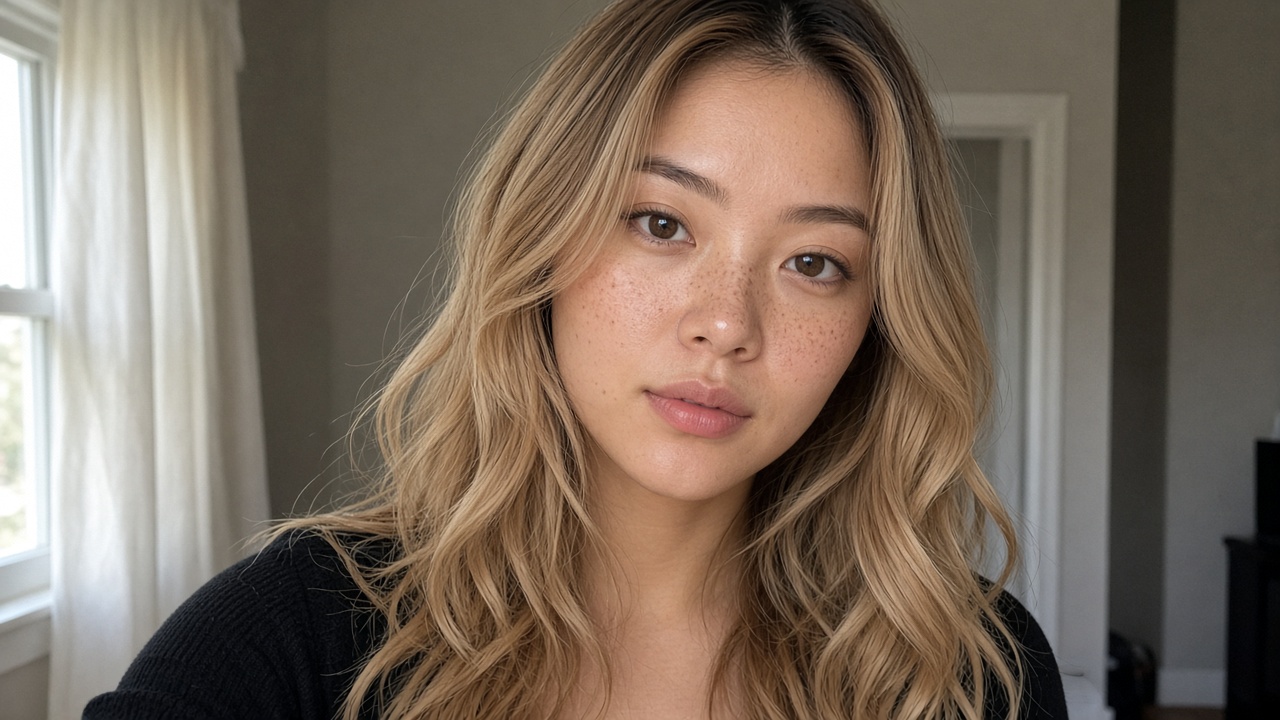
Drag to compare
Live try-on
Soft Waves · Honey Blonde
Sample free
Studio
Add a selfie
Step 1
Drop a photo here
or browse your camera roll. JPG, PNG, or WebP up to 8 MB.
Free sample — does not use your look.
Photos are used for this preview only. Privacy
Choose a cut
Step 2
A long bob with invisible layers and a soft edge.
Choose a color
Step 3
Chestnut · changing the cut or color uses a preview
No looks left. Packs from $9.9 · 10 looks. Join the waitlist — notify at launch.
Selected: Layered Lob · Chestnut · 0 previews left
Layered Lob · Chestnut
Before / after
Your try-on will land here.
Drop a selfie, pick a cut and color, tap generate. Flip before / after in seconds.
Waiting for a selfie.
How it works
Three steps. New hair.
1
Drop a selfie
Front-facing, good light. That’s it.
2
Pick a look
Cuts, colors, or both. Tap to try.
3
Flip before / after
Save favorites. Share if you want.
From the blog
Decide with fewer surprises
September 26, 2026
Selfie Tips for Hairstyle Apps
Learn how to take a selfie for a hairstyle app—lighting, angle, and hair tips that improve AI try-on results.
September 25, 2026
Best Hair Colors for Try-On First
Preview chestnut, honey, and soft brunette shades with a digital hair color try-on before you book the dye job.
September 24, 2026
Lob vs Bob: Which Cut to Choose
Compare lob vs bob length, face shape fit, and grow-out—then preview both on your selfie before you book.
FAQ
Before you chop — answers first.
- What is BeforeChop?
- BeforeChop is an AI hairstyle try-on. Upload a selfie, pick a cut and a color, and flip before and after in seconds. The sample portrait is free anytime.
- Is BeforeChop free?
- The sample portrait is free (no email, no quota). Real selfie try-ons use pack credits. Starter pack $9.9 · 10 looks at launch; code EARLY20 → 20 looks for $9.9. Join the waitlist — we'll email you.
- Does BeforeChop upload my photo?
- In demo mode, no. The selfie stays in your browser. Waitlist email is saved for launch notify on this device (localStorage). Preview counts stay on this device. Email does not unlock free selfie generations.
- How accurate is the try-on?
- It is a preview so you can judge the vibe before you book. Demo mode paints the cut and color on your photo. Light, angle, and how much hair you already have change how close it looks.
- Can I try bangs, bobs, and color?
- Yes. Try bobs, bangs, pixies, waves, and long cuts, then change color on the same selfie.
- Who is BeforeChop for?
- Anyone who wants to see a cut or color on their own face before they sit in the chair. A front-facing selfie in good light works best.
Pricing
$9.9 · 10 looks. Paid packs launching soon.
Starter pack $9.9 · 10 looks. Code EARLY20 → 20 looks for $9.9 at launch. Sample portrait in the studio stays free. Real selfie try-ons need pack credits at launch.
No live checkout — waitlist only for now. Promo codes do not grant credits without payment.